This article introduces how to use the X5 kernel branch version, ensure your X5 kernel takes effect in the browser, and explains the differences between the X5 kernel branch and the official version to help you decide whether you need to use this branch.
When Should You Use the X5 Kernel Version?
Generally, the author does not recommend using the X5 kernel version. The decision to develop the X5 kernel branch was initially made because the X5 kernel’s built-in video player functionality was indeed quite powerful and could better meet the needs of watching videos through the browser.
Nowadays, Tencent may have removed the enhanced video player capabilities due to legal risks and other reasons, so the current X5 kernel version is somewhat redundant.
Nevertheless, there are still some reasons for some users to use it. For the following scenarios, you can decide whether to use the X5 kernel version based on your own situation.
Support for More Video Formats
The X5 kernel has more built-in video decoders. According to Tencent’s official introduction, it supports almost all network video formats. If the official version cannot play videos due to video format compatibility issues, you can try using the X5 kernel version.
I Want the Browser to Follow System Font Settings
Users often ask if they can customize fonts. If you care a lot about the aesthetics of page rendering fonts, you can consider installing the X5 kernel to try it out. The X5 kernel’s page rendering font will follow your phone system’s custom font settings.
Some Websites Cannot Be Accessed or Are Often Hijacked
According to Tencent’s official statement, the X5 kernel has server relay and cloud acceleration functions that can effectively avoid website hijacking. So when the official version of X Browser cannot normally open certain URLs, you can try using the X5 kernel version.
Enable X5 Kernel
Usually, after installing the X5 kernel branch, you need to manually enable the X5 kernel. The steps are as follows.
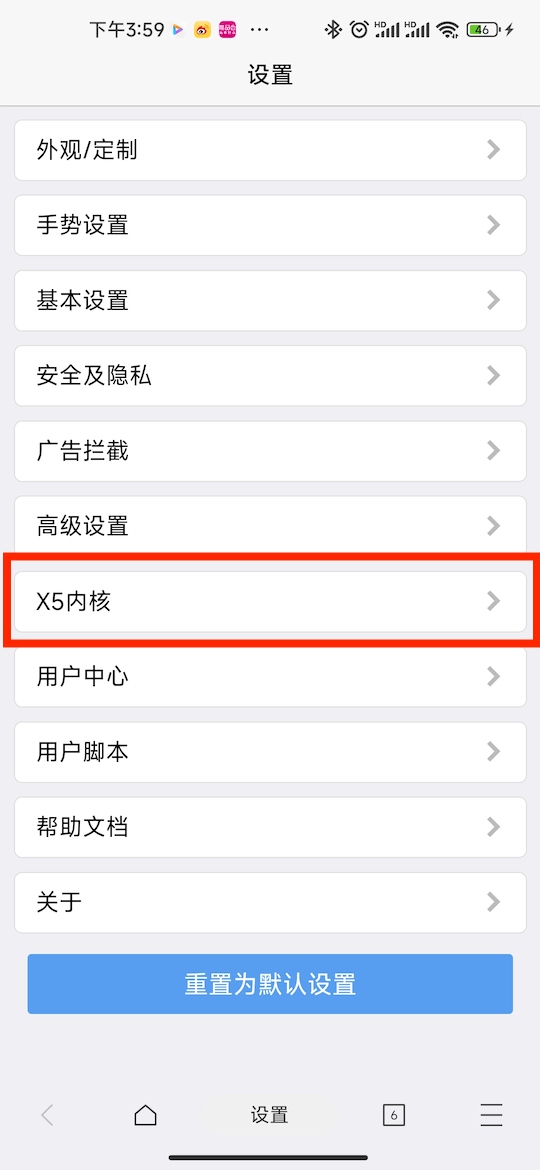
- Go to the browser settings page and find the “X5 Kernel” option.
- Enter the X5 kernel debugging page and select “Install Online Kernel”.
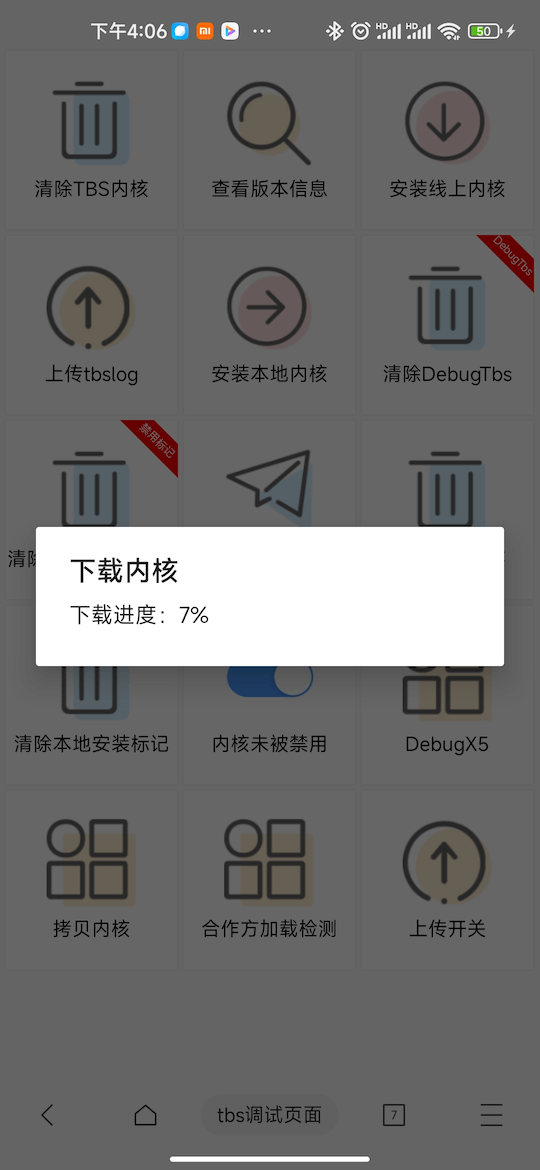
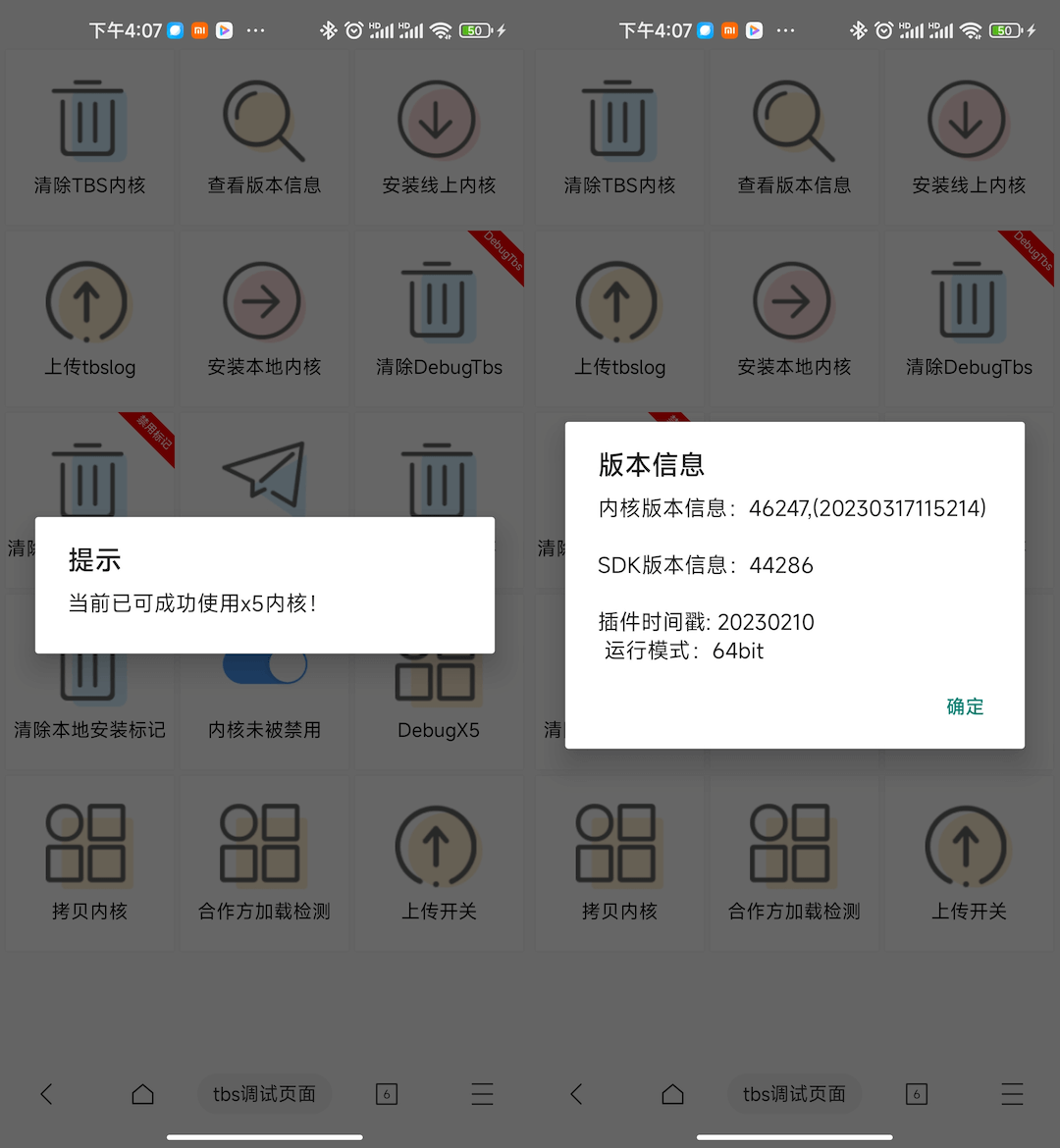
- After the online kernel installation is complete, you need to restart. After restarting the browser, enter the X5 kernel debugging page again and click the “Partner Detection” or “View Version Information” option. If the page popup is as follows, it means the kernel has been enabled normally.