Want to cast web videos from your phone to a TV or other smart devices? X Browser provides powerful video casting features, making it easy to cast from phone to TV.
X Browser supports the DLNA casting protocol, which is currently the most mainstream casting standard. Basically all smart TVs, TV boxes, and smart projectors support the DLNA protocol, meeting most casting scenarios. For other casting protocols (such as AirPlay), we can also open videos by binding third-party players, then use the casting features of those players.
TL;DR (Quick Start)
- Method 1: Built-in DLNA casting (recommended, supports most smart TVs)
- Method 2: Third-party player casting (supports AirPlay and other protocols)
- Prerequisites: Phone and TV connected to the same WiFi network
- Time Required: ~2 minutes for first-time setup
Method 1: Using Built-in DLNA Casting
Using X Browser’s built-in DLNA casting feature, you can quickly cast web videos to TVs and other devices. The steps are as follows:
Step 1: Sniff Video Resources
To cast videos playing on web pages to other devices, you first need to find the video address through X Browser’s video sniffing feature.
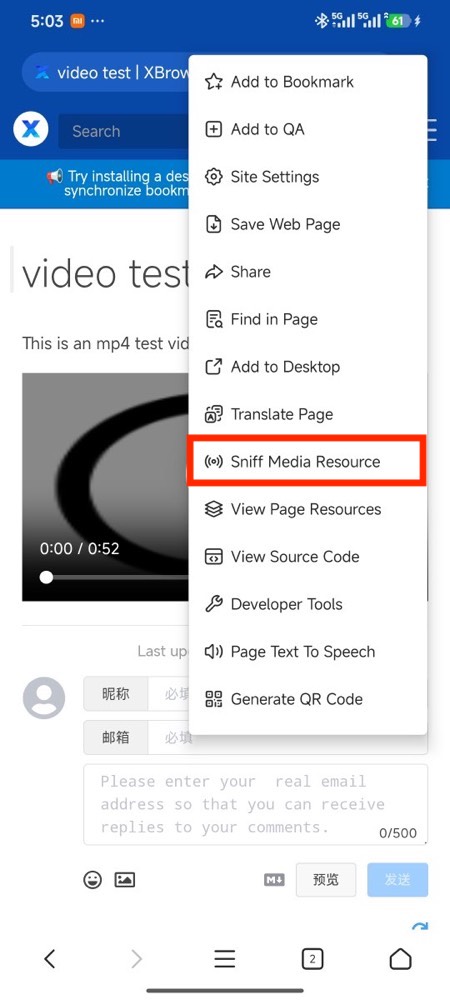
Open the page toolbox (click the toolbox icon in the upper right corner of the browser, or find the toolbox in the main menu), and click the “Sniff Media Resources” option.
Step 2: Use Video Toolbar
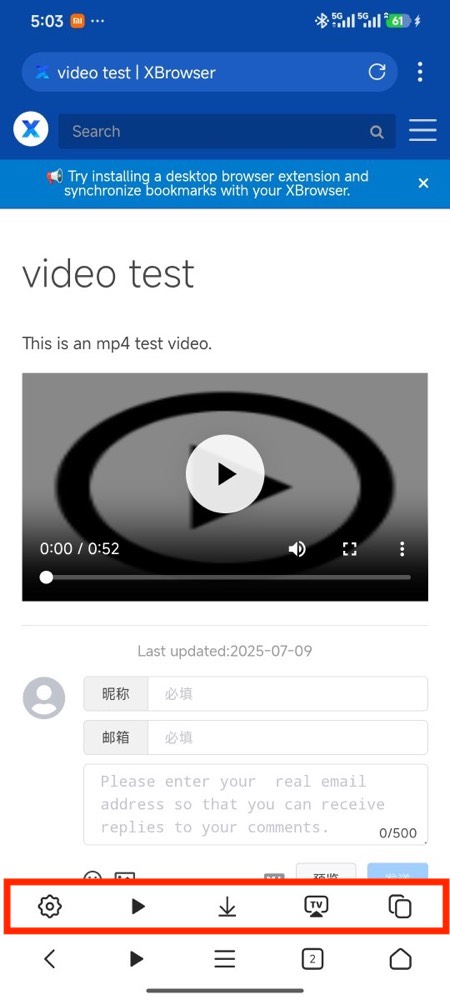
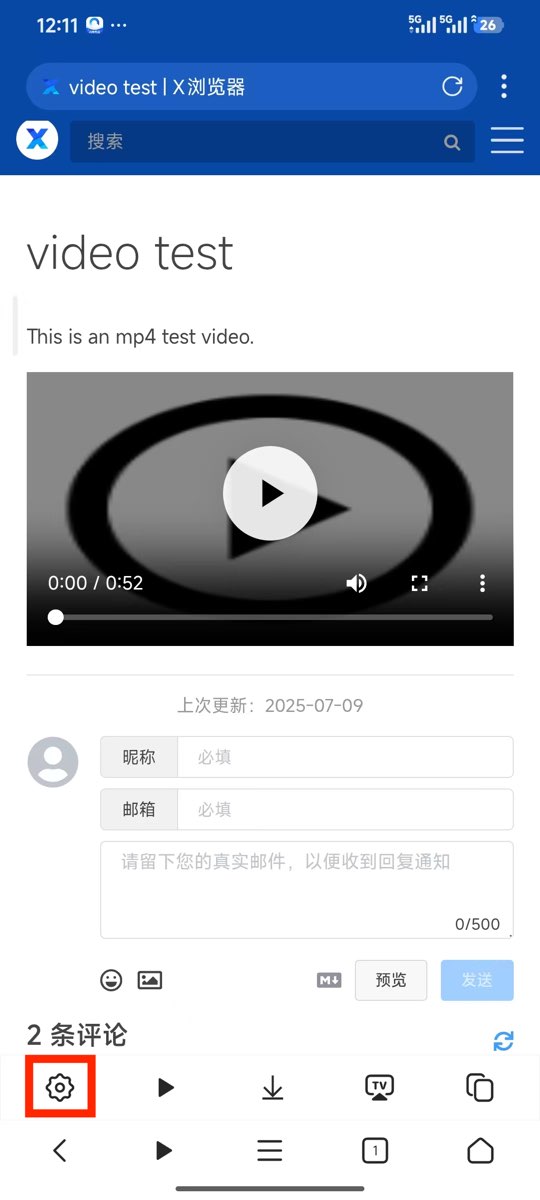
After successfully sniffing the video, a video toolbar will pop up on the page, providing various video operation options.
Step 3: Start Casting
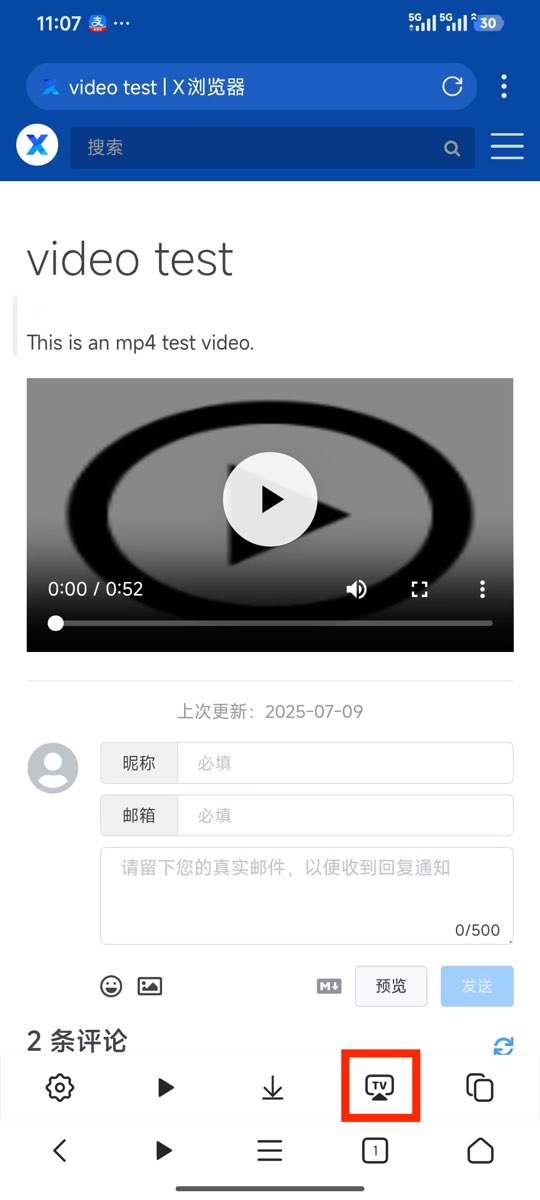
Click the “Cast” button in the toolbar, and the system will automatically search for available devices on the same WiFi network (such as smart TVs, TV boxes, etc.). Select the target device to start casting.
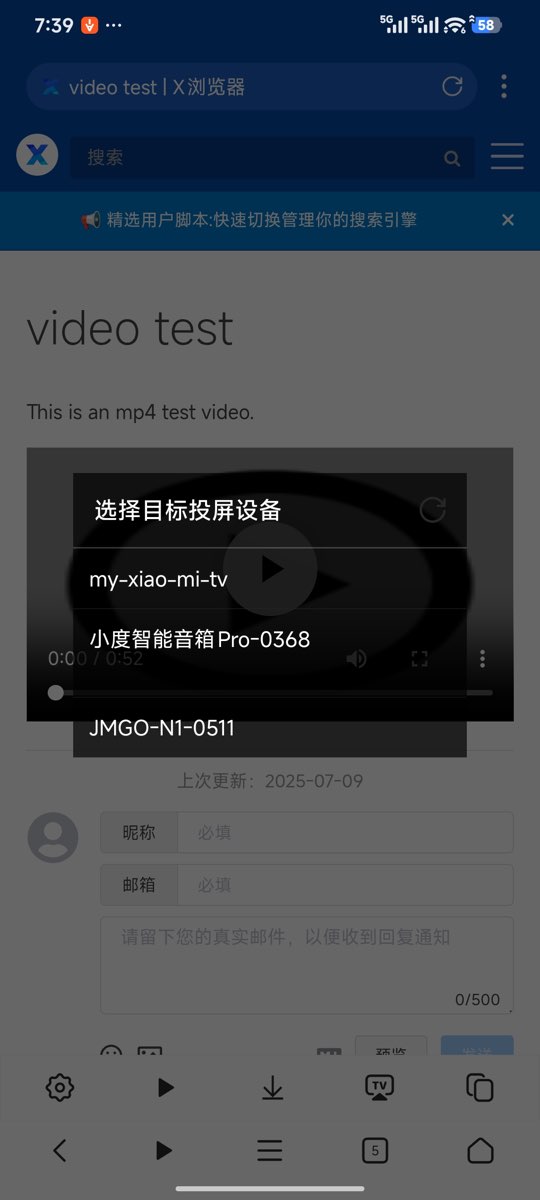
Tip: Make sure your phone and casting device (TV/box) are connected to the same WiFi network so that devices can be successfully discovered.
Method 2: Using Third-Party Player Casting
If your device doesn’t support the DLNA protocol, or you want to use other casting protocols (such as AirPlay, Miracast, etc.), you can achieve casting by binding third-party players.
Step 1: Bind Third-Party Player
In the video toolbar settings, you can bind third-party players that support casting features (such as MX Player, VLC, nPlayer, etc.).
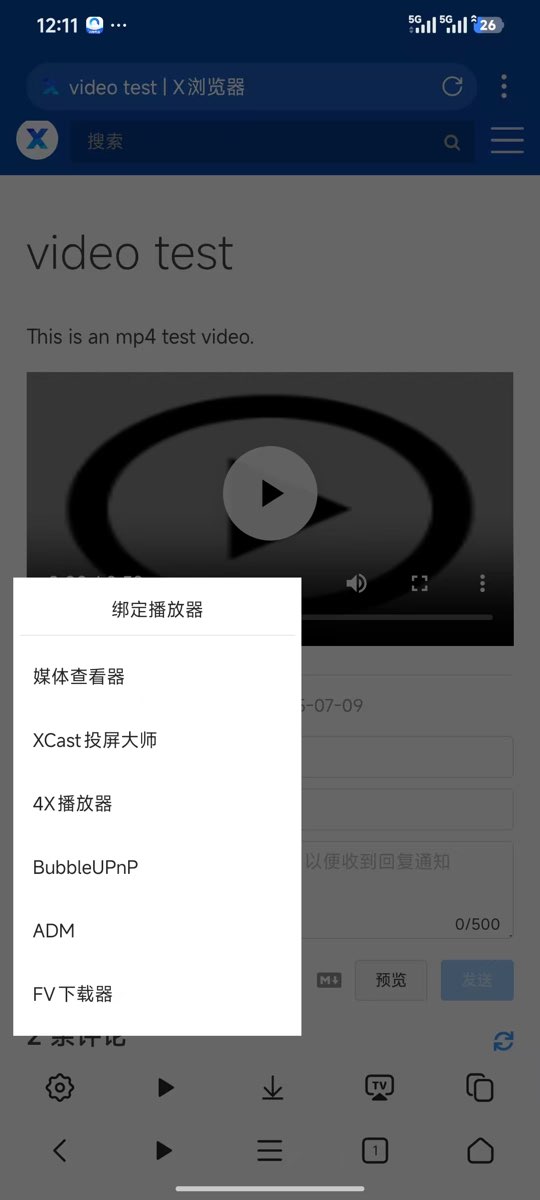
Step 2: Cast Through Third-Party Player
After binding is complete, click the “Play” button in the video toolbar, and the video will automatically open in the third-party player. Then you can use the player’s built-in casting feature to cast.
FAQ (Frequently Asked Questions)
1. Why can’t I find casting devices?
Please ensure:
- Phone and casting device (TV/box) are connected to the same WiFi network
- Casting device has DLNA enabled (some devices need to be manually enabled in settings)
- Turn off VPN or proxy on your phone, as this may affect device discovery
- Check if the router has AP isolation enabled, if so please disable it
2. What to do if video stutters during casting?
- Ensure good WiFi signal, recommend using 5GHz WiFi band
- Close other apps that consume network bandwidth
- Try lowering video quality
- Check router performance, restart router if necessary
3. Which video formats are supported?
Most mainstream video formats are supported, including MP4, M3U8, FLV, AVI, MKV, etc. Specific supported formats depend on your casting device’s decoding capabilities.
4. Which websites’ videos can be cast?
In theory, all web videos can be found through the video sniffing feature and cast, including major video websites, live streaming platforms, etc. Some encrypted videos may not be sniffable.
5. Can I do other things on my phone while casting?
When using DLNA casting, the video is pushed directly from the network to the TV device, and the phone only acts as a remote control, so you can freely use your phone for other things without affecting the casting playback.
Summary
X Browser’s video casting feature allows you to easily cast web videos from your phone to large-screen devices like TVs. Through the built-in DLNA protocol or third-party players, it meets casting needs in different scenarios. Combined with the powerful video sniffing feature, you can cast almost any web video, bringing you a better viewing experience.
Whether watching online videos, live programs, or local video files, X Browser can provide you with convenient casting solutions. Try it now!